Invoicing and Quotes
Create professional quotes and invoices. Get paid faster.
Build, send and track quotes and invoices from one platform. Get client approval, convert accepted quotes into invoices and know the moment you get paid.
Branded quotes & invoices
One-click quote-to-invoice conversion
Automatic payment matching & reminders
Accelerate your business
From quote to payment. All in one place.
One connected workflow
No more switching between your banking and invoicing tools. Create branded quotes, convert them into invoices in one click, and let every payment match automatically with your bookkeeping.
Customise your brand
Add your logo, customise your colours and choose a template that matches your brand. Every quote and invoice looks like it came from a company ten times your size.
Always know where your money is
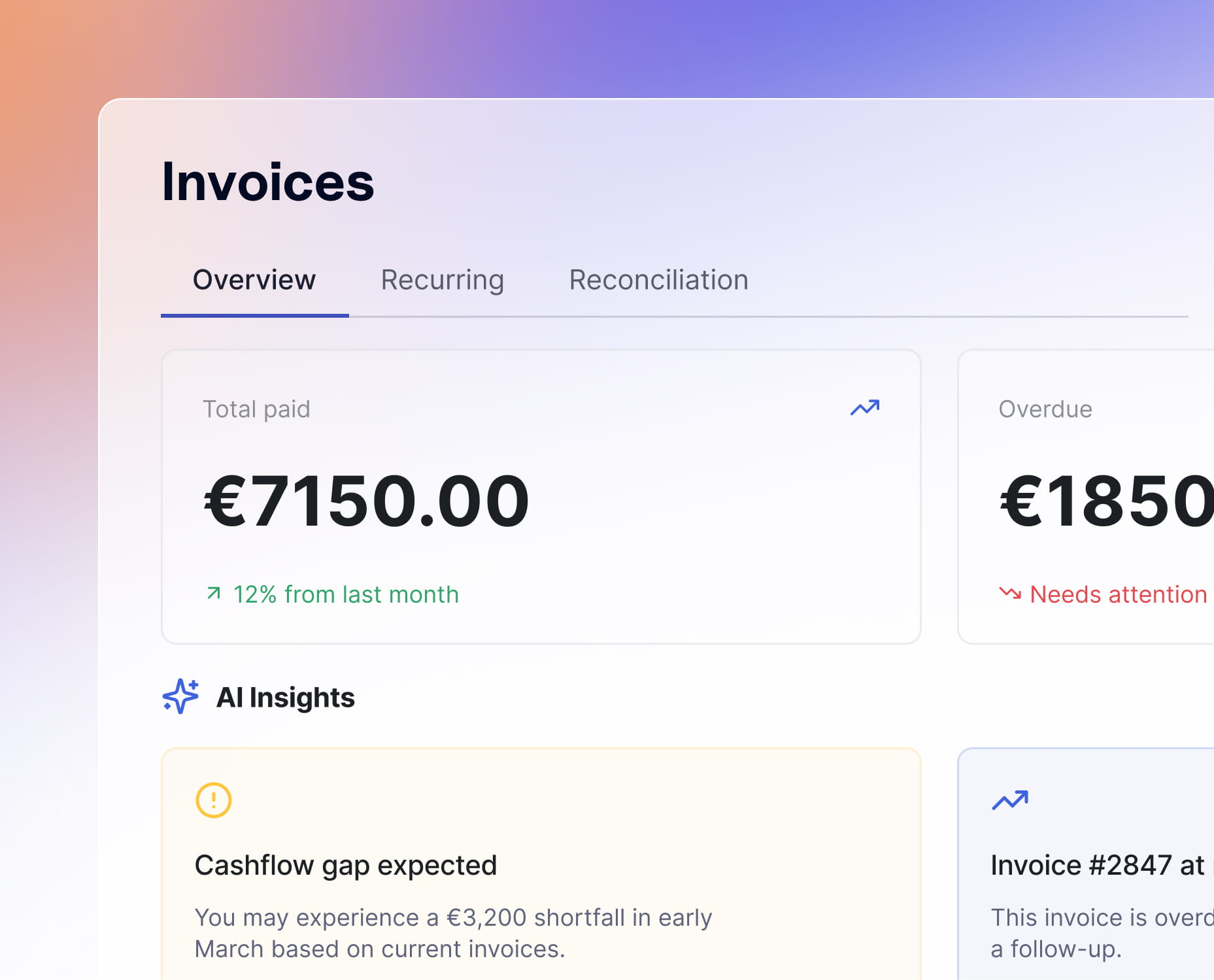
Track every quote, invoice and payment in one dashboard. See what's paid, what's overdue and what's coming in - no spreadsheets, no guesswork, no end-of-month surprises.

Getting paid shouldn't be hard work
1.
Create your quote
Create a professional quote with your services, pricing, VAT and payment terms. Add your branding and send it in minutes.
2.
Send your quote
Send your quote via email with one click. Your client receives a secure link, and you can see exactly when it's viewed, accepted or declined.
3.
Convert it into an invoice
Once approved, convert your quote into an invoice with one click. No duplicate work, no manual copying.
4.
Get paid faster
When your customer pays, Neno automatically matches the payment with the correct invoice and bookkeeping. For overdue invoices, smart payment reminders automatically follow up for you.
Invoice Builder
The fastest way to turn your work into revenue
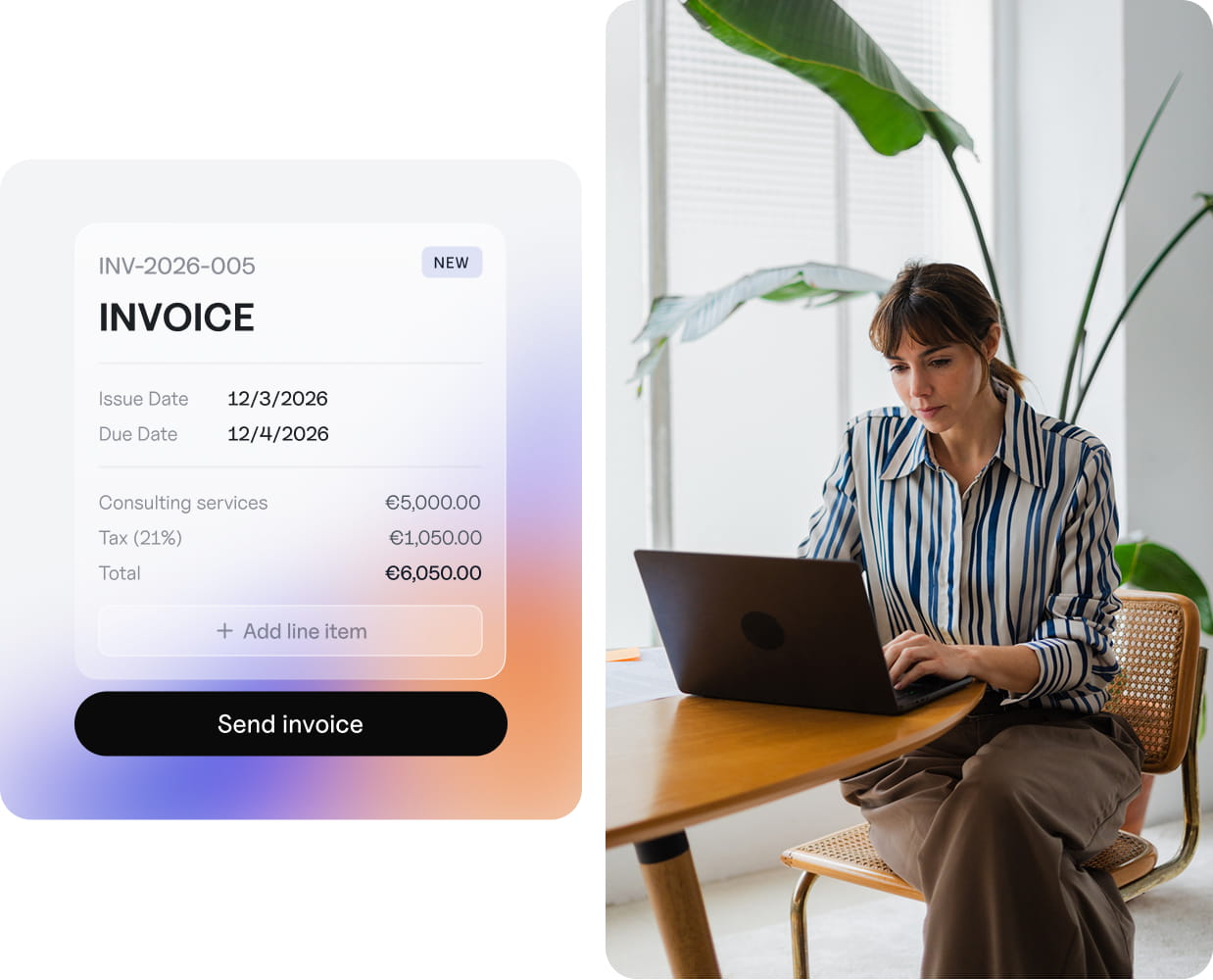
Build your invoice with a live preview, send it with payment details attached and let Neno handle the rest. Payments match to invoices automatically. Overdue? Smart reminders follow up in your tone of voice – polite, direct, or somewhere in between. You stay focused on your work; Neno stays focused on your cash flow.


Quotes
Win the work before you send the invoice
Create professional quotes, send them for approval and convert accepted quotes into invoices with one click. Track every decision from one place, without duplicate work.
Create professional quotes
Track every client decision
Convert accepted quotes instantly
Your invoicing
Everything you need to get paid
The benefits
Why it works
Built for Dutch businesses
Standard BTW rates, Dutch-format invoice numbering, and compliant billing defaults. No configuration needed. It just works for your BV from day one.
Banking and invoicing, together
When your invoicing and your bank account live in the same platform, reconciliation happens automatically. Payments match to invoices without manual effort.
Send with confidence
Every invoice is reviewed in a live preview before it goes out. Notes, terms and conditions, and payment details are all visible, so there are no surprises for you or your client.
Invoices
Part of your complete back office
Invoicing is built into your Neno business account, so every invoice you send and every payment you receive is already connected to your banking, your bookkeeping and your tax filings. Your Neno accountant sees every invoice alongside your transactions. When tax season arrives, your VAT filings are already prepared because your invoices and books have been in sync all along.
Real-time insights into your finances
Professional accountants available when you need them
Save hundreds of euros per year

Simple pricing
Included with your Neno account
Unlimited invoices
Branded invoice templates with your logo
Shareable payment pages
Automatic payment reminders
Recurring invoice scheduling
Invoice activity timeline
Automatic bank reconciliation
PDF generation and download
" height="16px" id="szYU46oOo" width="16px"/><path d="M 0 0 L 16 0 L 16 16 L 0 16 Z M 17.333 0 L 33.333 0 L 33.333 16 L 17.333 16 Z M 34.667 0 L 50.667 0 L 50.667 16 L 34.667 16 Z" fill="rgb(0, 182, 122)" height="16px" id="DWg00VP2O" transform="translate(17.332 0)" width="50.66669845581055px"/><path d="M 0 0 L 16 0 L 16 16 L 0 16 Z" fill="rgb(0, 182, 122)" height="16px" id="h0FybJGUR" transform="translate(69.332 0)" width="16px"/><path d="M 5.6 8.083 L 8.033 7.467 L 9.05 10.6 Z M 11.2 4.033 L 6.917 4.033 L 5.6 0 L 4.283 4.033 L 0 4.033 L 3.467 6.533 L 2.15 10.567 L 5.617 8.067 L 7.75 6.533 Z" fill="rgb(255, 255, 255)" height="10.600050009155273px" id="IaDpblLdQ" transform="translate(2.398 2.7)" width="11.19996px"/><path d="M 5.6 8.083 L 8.033 7.467 L 9.05 10.6 Z M 11.2 4.033 L 6.917 4.033 L 5.6 0 L 4.283 4.033 L 0 4.033 L 3.467 6.533 L 2.15 10.567 L 5.617 8.067 L 7.75 6.533 Z M 22.933 8.083 L 25.367 7.467 L 26.383 10.6 Z M 28.533 4.033 L 24.25 4.033 L 22.933 0 L 21.617 4.033 L 17.333 4.033 L 20.8 6.533 L 19.483 10.567 L 22.95 8.067 L 25.083 6.533 Z M 40.267 8.083 L 42.7 7.467 L 43.717 10.6 Z M 45.867 4.033 L 41.583 4.033 L 40.267 0 L 38.95 4.033 L 34.667 4.033 L 38.133 6.533 L 36.817 10.567 L 40.283 8.067 L 42.417 6.533 Z M 57.6 8.083 L 60.033 7.467 L 61.05 10.6 Z M 63.2 4.033 L 58.917 4.033 L 57.6 0 L 56.283 4.033 L 52 4.033 L 55.467 6.533 L 54.15 10.567 L 57.617 8.067 L 59.75 6.533 Z" fill="rgb(255, 255, 255)" height="10.600050009155273px" id="g0L79mPBL" transform="translate(19.734 2.7)" width="63.2px"/></g></svg>)
" height="14.6113px" id="nNa9eo3AW" transform="translate(0.422 0)" width="16.387433px"/><path d="M 8.194 0 L 10.726 4.81 L 16.387 5.581 L 12.291 9.325 L 13.258 14.611 L 8.194 12.115 L 3.13 14.611 L 4.097 9.325 L 0 5.581 L 5.662 4.81 Z" fill="rgb(246, 183, 4)" height="14.6113px" id="M99fLl7Zk" transform="translate(20.652 0)" width="16.3875px"/><path d="M 8.194 0 L 10.726 4.81 L 16.387 5.581 L 12.291 9.325 L 13.258 14.611 L 8.194 12.115 L 3.13 14.611 L 4.097 9.325 L 0 5.581 L 5.662 4.81 Z" fill="rgb(246, 183, 4)" height="14.6113px" id="hpNpV58rV" transform="translate(40.883 0)" width="16.387400000000007px"/><path d="M 8.194 0 L 10.726 4.81 L 16.387 5.581 L 12.291 9.325 L 13.258 14.611 L 8.194 12.115 L 3.13 14.611 L 4.097 9.325 L 0 5.581 L 5.662 4.81 Z" fill="rgb(246, 183, 4)" height="14.6113px" id="DwC51L4bs" transform="translate(61.113 0)" width="16.3874px"/><path d="M 8.194 0 L 10.726 4.81 L 16.387 5.581 L 12.291 9.325 L 13.258 14.611 L 8.194 12.115 L 3.13 14.611 L 4.097 9.325 L 0 5.581 L 5.662 4.81 Z" fill="rgb(246, 183, 4)" height="14.6113px" id="TNGo61Bun" transform="translate(81.344 0)" width="16.38749999999999px"/></svg>)
FAQ
Do I need a Neno business account to use invoicing?
Yes. Invoicing is built into your Neno business account. That's what makes automatic payment matching possible: when your client pays, Neno sees the transaction and marks the invoice as paid without you lifting a finger.
Can I customise how my invoices look?
Yes. Upload your company logo, choose brand colours, and select from invoice templates. Every invoice generates as a clean, professional PDF that matches your business identity.
What tax rates are supported?
Neno includes standard Dutch BTW rates (0%, 9%, and 21%) built into the invoice builder. You select the rate per line item, and totals are calculated automatically.
How do my clients pay?
Each invoice includes your bank details and a shareable payment link. Your client can pay via bank transfer. The payment is automatically matched to the invoice when it arrives.
Can I set up recurring invoices?
Yes. Configure invoices to repeat on a weekly, monthly, or custom schedule. Neno generates and sends them automatically on the dates you set, with confirmation before each send.
What happens if a client doesn't pay on time?
Neno sends automatic payment reminders on a schedule you control. You can see overdue invoices at a glance on your dashboard and follow up manually if needed.